
Some products do not have a price — they have a formula. Flooring sold by the square metre, fabric by the linear metre, print jobs priced by size and finish. Product Price by Formula Calculator lets you build those calculators in Odoo, with your own option fields and expressions, and applies them to products or categories.

What Product Price by Formula Calculator does
Inspired by the WooCommerce Price by Formula Calculator, this module powers both price calculation contexts at the same time, sharing a single rule and formula engine.
In backend Sales, a calculator dialog on quotation and order lines computes the unit price. On the eCommerce side, a live calculator on the product page computes the price and persists it into the cart, checkout and order. One configuration, two channels — which is what prevents the classic drift between what a salesperson quotes and what the website charges.
Key features
Custom formulas
Build expressions with +, -, *, /, parentheses and functions — the arithmetic your pricing actually uses.
Unlimited option fields
Number, text, text area, select, radio, checkbox and multi-select fields per rule, so the form matches the product rather than the reverse.
Conditional formula groups
Change the formula based on user input or on running results — tiered pricing and thresholds without a developer.
Any unit of measurement
Sell by kilogram, metre, square metre, cubic yard or anything else your trade uses.
Rounding control
Round, round up or round down, with custom precision, so quoted prices land where your commercial policy expects.
Apply rules broadly
Each rule targets multiple products or categories, and you can create several rules for different product families.
Required or optional fields, with images
Mark fields required or optional and attach images to radio options to make the choice visual.
Transparent to the customer
The live calculation is shown on the product page, and the chosen options follow through to cart, checkout, order and PDF.
Backend preview
Preview a calculator from the backend before exposing it, so configuration mistakes are caught internally.
Screenshots
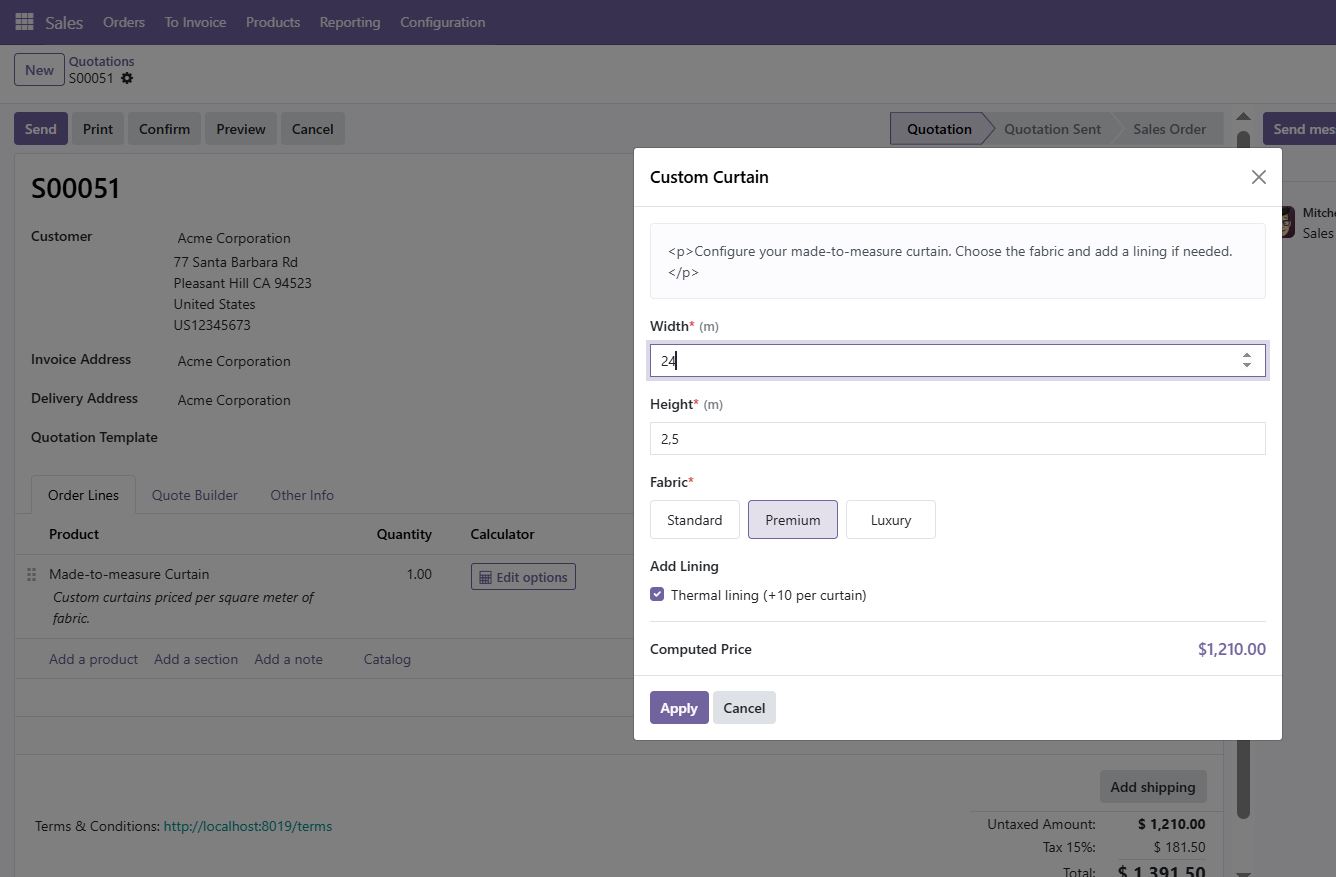
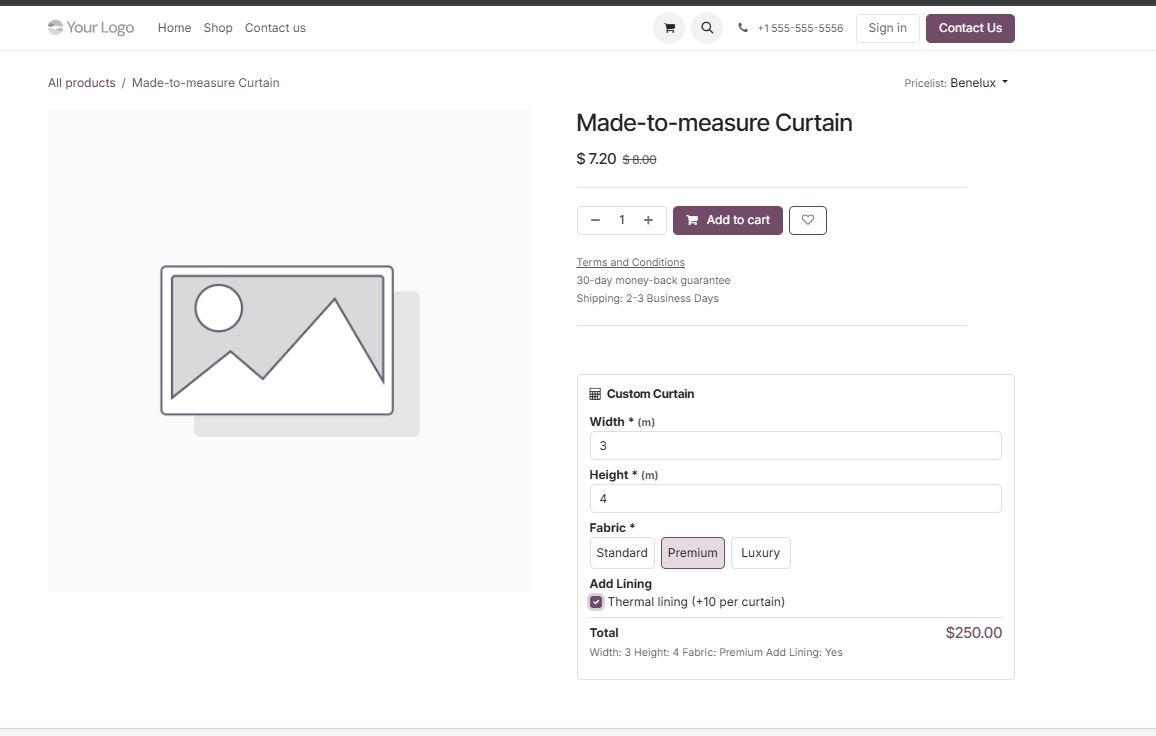
How to set it up
Configuration lives in Sales > Configuration > Price Formula Rules. The full sequence is:
- Install the module; it depends on
sale_managementandwebsite_sale. - Create a price formula rule and define its option fields — number, select, radio, checkbox and so on.
- Write the formula, adding conditional formula groups if the price changes by threshold or by option.
- Choose the unit of measurement and the rounding behaviour.
- Apply the rule to the products or product categories it covers.
- Preview the calculator from the backend, then check it on the product page and in a quotation line.
Good to know
- Because
website_saleis a dependency, this module expects an eCommerce-enabled database. If you do not run a webshop, the backend calculator still works but you will be installing the website sales stack alongside it. - Chosen options are carried to the order and to the printed PDF, so the customer sees what they configured.
Requirements and compatibility
| Odoo series | Odoo 18.0, Odoo 19.0 |
|---|---|
| Depends on | sale_management, website_sale |
| Licence | OPL-1 |
| Edition | Works on Odoo Community |
Where to get it
See Product Price by Formula Calculator on buyodoo.com
Browse the full catalogue on the buyodoo.com shop, or contact us if you need help choosing.
Frequently asked questions
Does it work in the backend, on the website, or both?
Both, at the same time, from a single rule and formula engine: a calculator dialog on quotation and order lines, and a live calculator on the eCommerce product page.
Can the formula change depending on what the customer selects?
Yes. Conditional formula groups switch the formula based on user input or on running results.
Can I sell by square metre or by weight?
Yes. The calculator supports any unit of measurement — kilogram, metre, square metre, cubic yard and so on.
Do the selected options appear on the order?
Yes. They are shown on the cart, the checkout, the order and the PDF.
How is it different from the Website Price by Formula Calculator?
The two products cover the same formula engine from different entry points. Compare them on the product pages and pick the one that matches how you sell.