
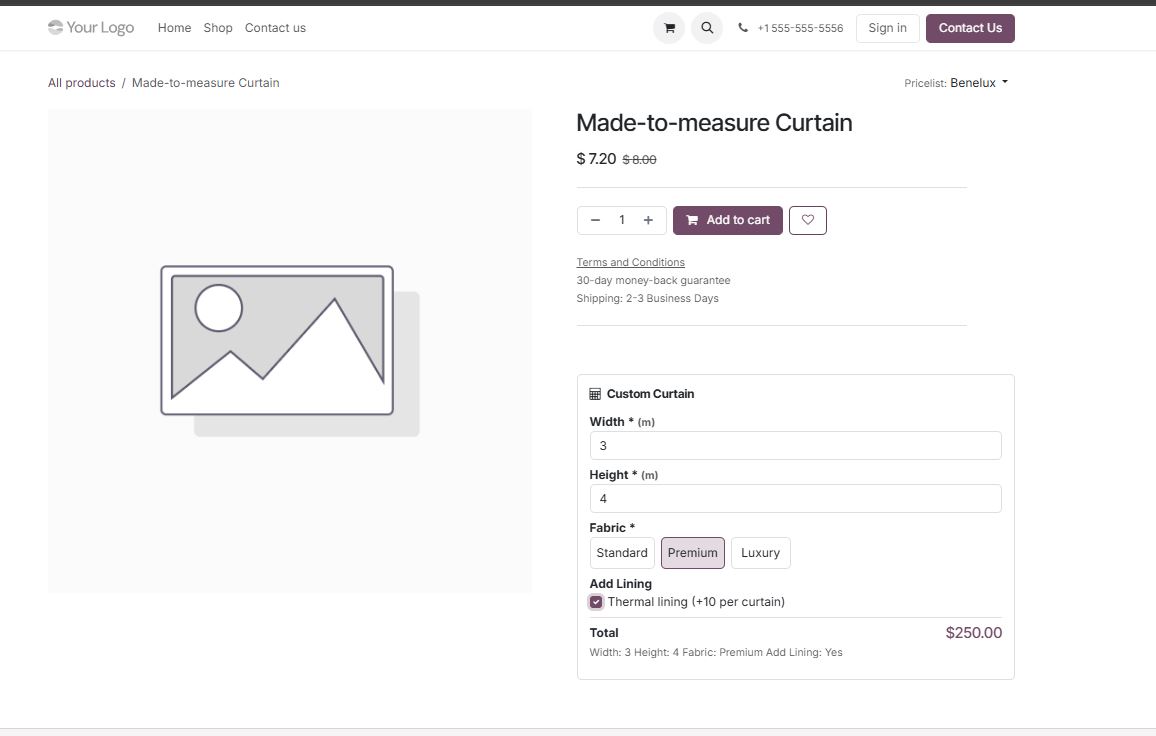
On an eCommerce site, a price that only appears after a quote request is a price that loses the sale. Website Price by Formula Calculator puts the calculation on the product page itself: the customer picks their measurements and options, the price updates live, and the configuration follows them into the cart and the order.

What Website Price by Formula Calculator does
The module is a measurement and options price calculator for Odoo, inspired by the WooCommerce Price by Formula Calculator. You build calculators from your own option fields and formulas and apply them to products or categories.
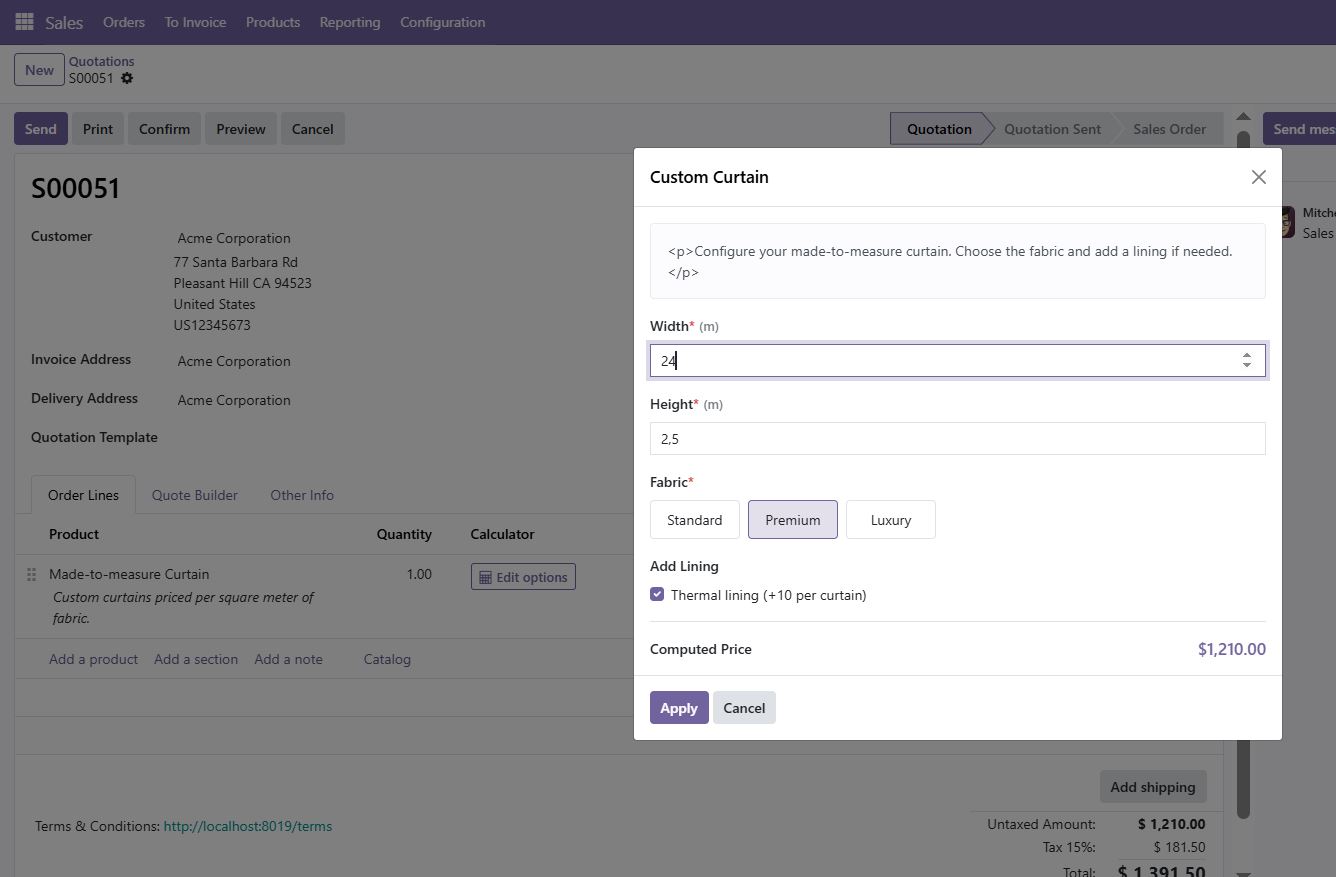
It drives both price calculation contexts from one rule engine: the live calculator on the eCommerce product page, persisted into cart, checkout and order, and a calculator dialog on backend quotation and order lines. The website and the sales team therefore quote the same number.
Key features
Live calculation on the product page
The price updates as the customer changes a value — the single most effective way to make configurable pricing feel trustworthy.
Persisted through the funnel
The computed price and the chosen options are carried into the cart, the checkout and the order, and printed on the PDF.
Custom formulas
Arithmetic with +, -, *, /, parentheses and functions.
Unlimited option fields
Number, text, text area, select, radio, checkbox and multi-select, with images available on radio options.
Conditional formula groups
Switch the formula based on customer input or on running results, so tiers and thresholds are configuration, not code.
Any unit of measurement
Kilogram, metre, square metre, cubic yard — whatever your catalogue is measured in.
Rounding options
Round, round up or round down with custom precision.
Rules by product or category
Apply each rule to multiple products or categories and create as many rules as your catalogue needs.
Backend preview
Preview a calculator from the backend before publishing it to customers.
Screenshots
How to set it up
Configuration lives in Website > Configuration > Price Formula Rules. The full sequence is:
- Install the module on an Odoo database where eCommerce (
website_sale) is in use. - Create a price formula rule and add the option fields the customer will fill in.
- Write the formula and add conditional groups where the price depends on a threshold or a choice.
- Set the unit of measurement and the rounding rule.
- Assign the rule to the relevant products or product categories.
- Preview from the backend, then test the full path: product page, cart, checkout and order.
Good to know
- Enable the display of the live calculation on the product page so customers see the price move as they configure.
- Verify the printed order PDF once: the selected options are included, and it is worth checking they read well for your products.
Requirements and compatibility
| Odoo series | Odoo 18.0, Odoo 19.0 |
|---|---|
| Depends on | sale_management, website_sale |
| Licence | OPL-1 |
| Edition | Works on Odoo Community |
Where to get it
See Website Price by Formula Calculator on buyodoo.com
Browse the full catalogue on the buyodoo.com shop, or contact us if you need help choosing.
Frequently asked questions
Does the customer see the price update live?
Yes. The calculator on the product page recomputes as options change, and the live calculation can be displayed on the page.
Is the configured price kept in the cart?
Yes. The computed price and the selected options persist into the cart, the checkout and the resulting order.
Does it also work for backend quotations?
Yes. The same rule engine provides a calculator dialog on quotation and order lines, so backend and website agree.
Can I price by square metre?
Yes. Any unit of measurement is supported, including square metre and cubic measures.
How is it different from the Product Price by Formula Calculator?
Both cover the same formula engine; they differ in the entry point they lead with. Compare the two product pages and choose the one that matches your primary sales channel.