
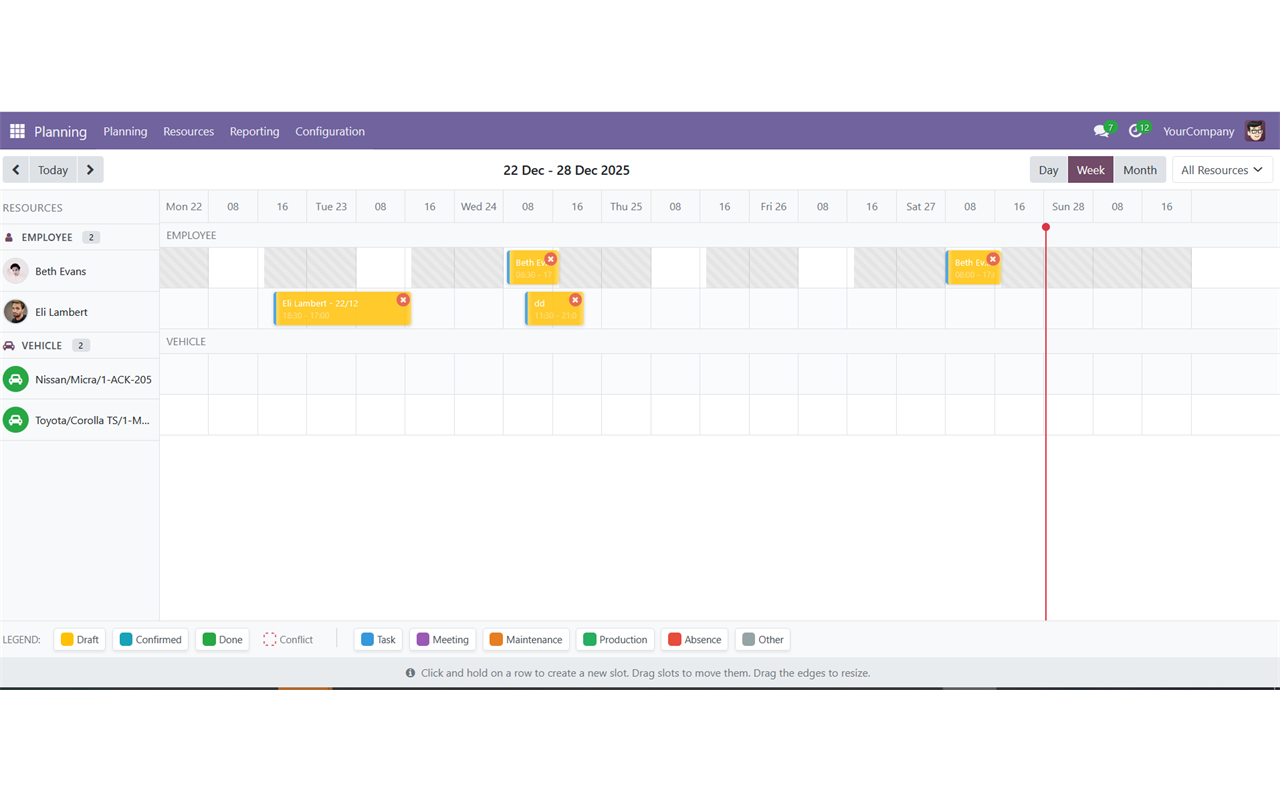
Resource planning is where Odoo Community users feel the gap with Enterprise most sharply. Resource Planning Timeline fills it: an interactive timeline where you create, move and resize planning slots by dragging, for employees, vehicles, rooms and machines alike.
What Resource Planning Timeline does
The module introduces four models — planning.slot, planning.resource, planning.resource.type and planning.slot.type — and a timeline view built on Odoo's web client with a responsive CSS grid layout and native drag and drop.
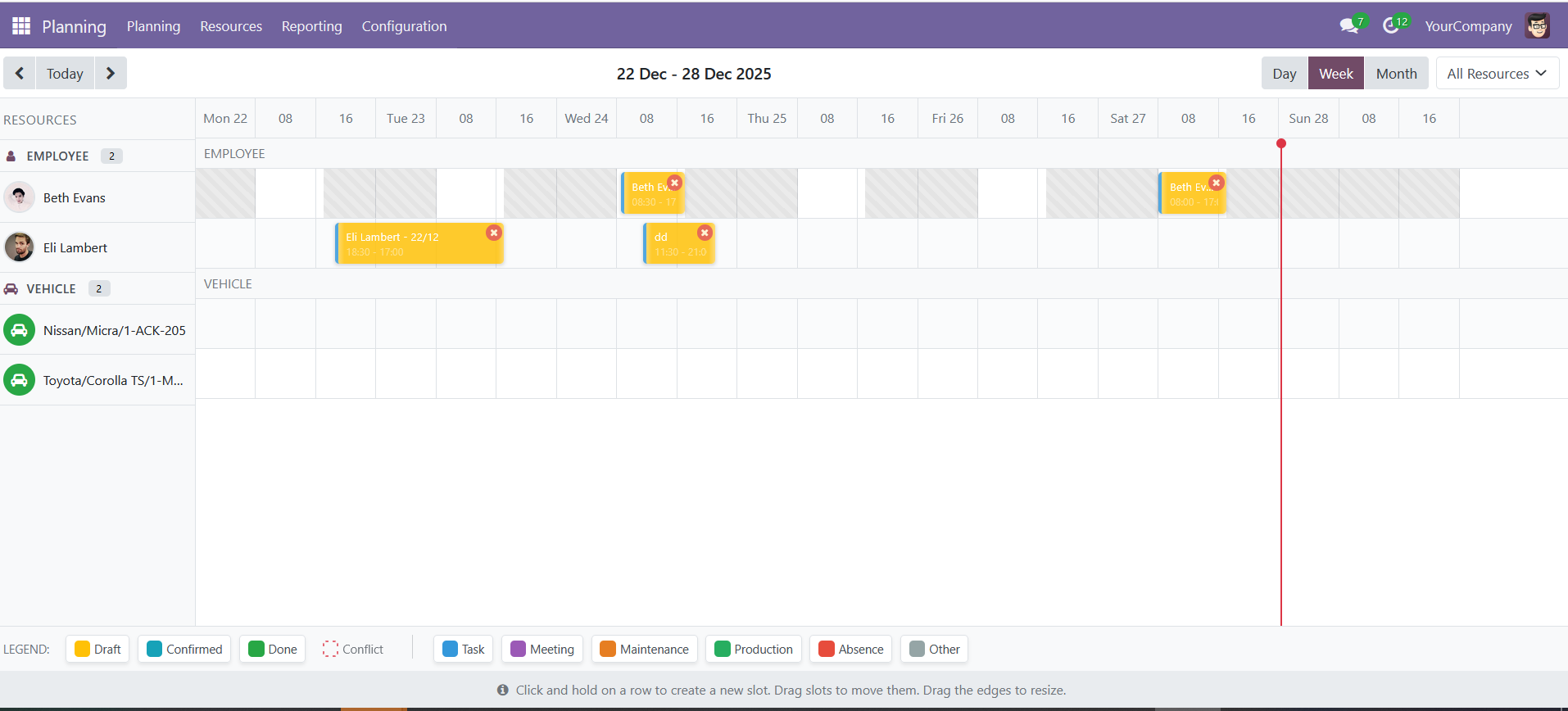
Because resources are typed, the same timeline plans people and equipment side by side: an employee, a van and a meeting room are all resources with their own availability.
Key features
Interactive timeline
Switch between day, week and month to plan resources visually, with an intuitive drag-and-drop interface.
Drag, drop and resize
Create, move and resize slots directly on the timeline with smooth animations and real-time updates — no form round-trip.
Quick create
A compact popover creates a slot without leaving the view, which is what keeps a planning session flowing.
Occupancy analytics
Measure utilisation and balance workload with charts and reports, so over-allocation is caught before it becomes overtime.
Project integration
Link slots to projects and tasks and filter the timeline by project, connecting the plan to the work it delivers.
Typed resources
Employees, vehicles, rooms and machines are all planned in the same view, each with its own resource type and defaults.
Availability rules
Set availability rules on specific calendars so resource availability follows real working time instead of a wish.
Role-based access
A Planning User role can view the timeline and manage their own slots; a Planning Manager role gets full access and configuration.
Screenshots
How to set it up
Configuration lives in Planning > Timeline. The full sequence is:
- Install the module and grant the Planning roles to your users in the access rights settings.
- Create your resources — employees, vehicles, rooms, machines — in the Resources menu.
- Define slot types and defaults in Configuration to standardise how the team plans.
- Optionally set availability rules on specific calendars to automate resource availability.
- Open the Timeline and start planning with drag and drop.
Good to know
- Depends on
hr,resource,projectandfleet, which is what allows vehicles to be planned alongside people. - Maintained across an unusually wide range of series: Odoo 13.0 through 19.0.
- Backend features include ORM-level access control, mail thread and activities, and validation constraints on slots.
Requirements and compatibility
| Odoo series | Odoo 13.0, Odoo 14.0, Odoo 15.0, Odoo 16.0, Odoo 17.0, Odoo 18.0, Odoo 19.0 |
|---|---|
| Depends on | hr, resource, project, fleet |
| Licence | OPL-1 |
| Edition | Works on Odoo Community |
Where to get it
See Resource Planning Timeline on buyodoo.com
Browse the full catalogue on the buyodoo.com shop, or contact us if you need help choosing.
Frequently asked questions
Is this a replacement for Odoo Enterprise Planning?
It is an independent module that brings drag-and-drop resource planning to Odoo Community. It has its own data models and its own timeline view rather than reusing the Enterprise application.
Can I plan vehicles and rooms, not just employees?
Yes. Resources are typed, and the module depends on fleet, so vehicles, rooms and machines are planned in the same timeline.
Can slots be linked to projects?
Yes. Slots link to projects and tasks, and the timeline can be filtered by project.
How is access controlled?
Two roles: Planning User can view the timeline and manage their own slots, Planning Manager has full access and configuration rights.
Which Odoo versions are supported?
Odoo 13.0, 14.0, 15.0, 16.0, 17.0, 18.0 and 19.0.